


You could have the best roofer, plumber, or electrician in the area — and still be losing jobs to a competitor who’s half as good as you, simply because their website does a better job of convincing people to pick up the phone.
That’s the reality for most trade businesses right now. The work is there. The skills are there. But the website is quietly costing you jobs every single day and you don’t even know it because you never see the people who left without calling.
That’s what this is about. Not design. Not fancy tech. Just the specific things that turn a website visitor into a paying customer — and what’s almost certainly missing from yours right now.
15. Make it effortless to contact you
This sounds so basic it barely needs saying. And yet go and check ten trade websites right now — half of them will have buried their phone number at the bottom of the page in small grey text.
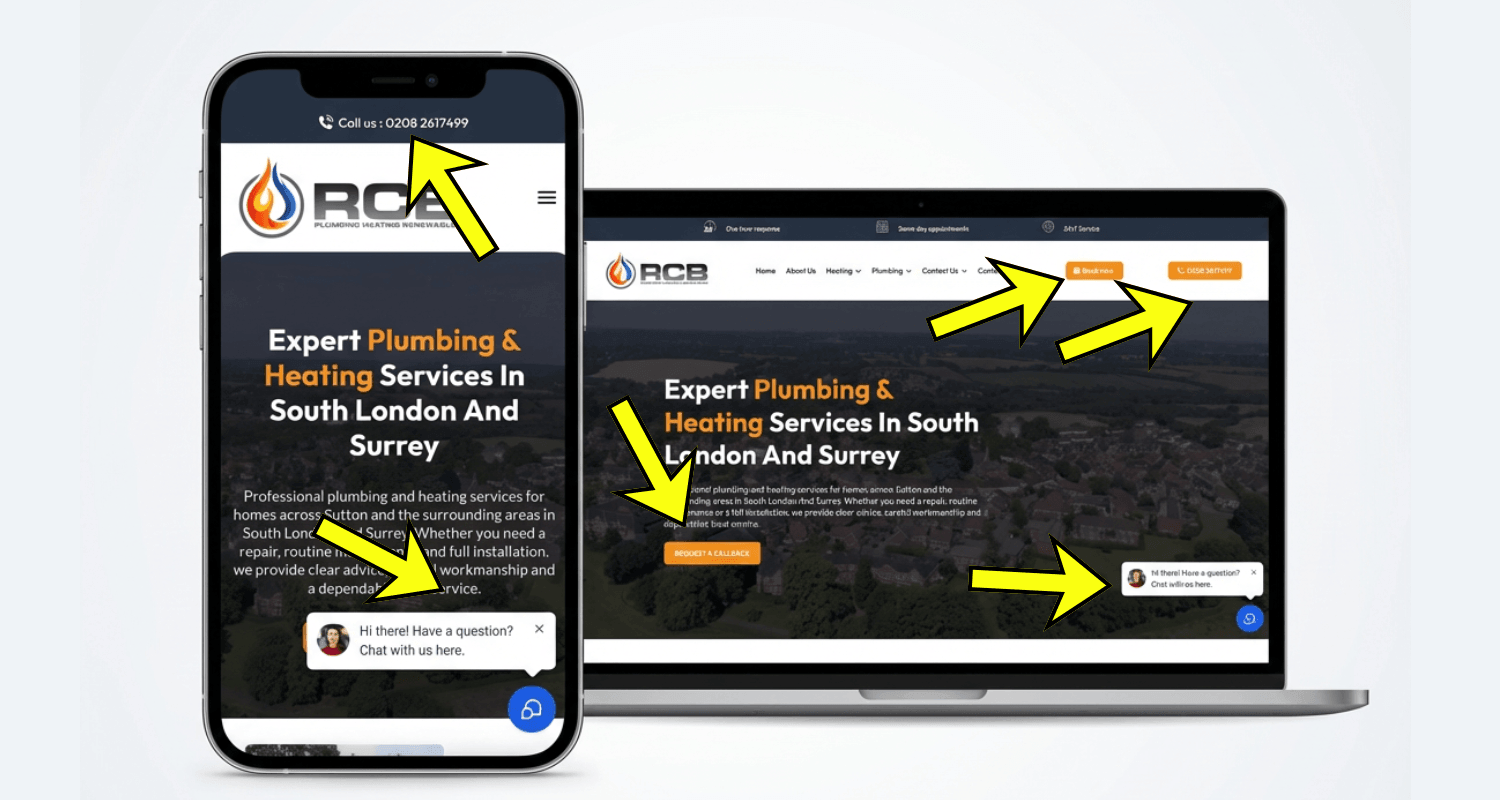
Your number needs to be at the top of every single page, large, visible, and clickable on mobile. Someone searching for an emergency plumber at 9pm on their phone needs to be able to tap and call in under two seconds. If they can’t, they’re on the next website before you’ve even had a chance.
To fix this, add a sticky call button — one that stays fixed at the bottom of the screen as the visitor scrolls. On mobile especially, this alone can significantly increase the number of calls you receive. It’s always there, always visible, always one tap away.
14. Keep your contact forms simple
Most trade websites either don’t have a contact form or have one that asks for way too much information. Both are a problem.
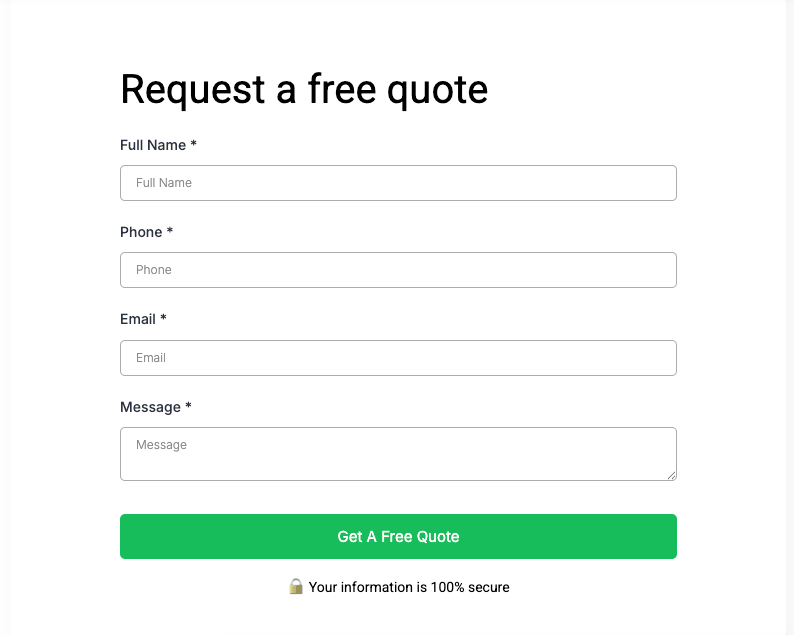
If someone has to fill in their full address, the type of job, their preferred dates, their budget, and three other fields just to get a quote — they’re gone. That’s not a form, that’s an interrogation. Every extra field you add creates friction, and friction kills conversions.
Keep it simple. Name, phone number, email address, postcode, and a message box. That’s all you need to start a conversation and qualify the lead. You can get the rest of the details when you call them back.
Put a form on your homepage above the fold and another on your contact page. Two forms, minimal fields, maximum conversions. Don’t overthink it.
13. Optimise for mobile first — not as an afterthought
We see this constantly — a website that looks amazing on a desktop but falls apart on a phone. This usually happens because the designer built it on a desktop and treated the mobile version as an afterthought.

The majority of your traffic is coming from mobile. Someone’s searched “roofer near me” on their phone during their lunch break, or they’ve spotted a leak and they’re Googling while standing in the kitchen staring at it.
If your website looks great on a laptop but clunky and slow on a phone, you’re losing those people immediately. Pages need to load fast, buttons need to be big enough to tap without zooming in, and the layout needs to feel clean and easy to navigate on a small screen.
12. Test your website speed with GTmetrix
A slow website loses you leads in two ways. First, visitors leave — if your page takes more than a few seconds to load on mobile, most people will hit the back button before they’ve even seen it. Second, Google penalises slow websites in the rankings, so you’re losing visibility before anyone even gets the chance to visit.

GTmetrix is a free tool that tells you exactly how fast your website loads and flags every single issue dragging it down. Run your site through it today — it takes about thirty seconds and the results are eye-opening for most trade businesses.
Aim for a B score or higher. Anything below that and your site speed is actively costing you leads and rankings. The report will show you exactly what needs fixing — oversized images, slow-loading scripts, hosting issues — and most of the fixes are straightforward enough to hand to a developer or sort yourself.
11. Build trust the moment someone lands on the page
Here’s the thing about someone landing on your website — they don’t know you. They’ve never met you, never seen your work, and they’ve probably been let down by a tradesperson before. So the first thing your website needs to do is make them feel like they can trust you.
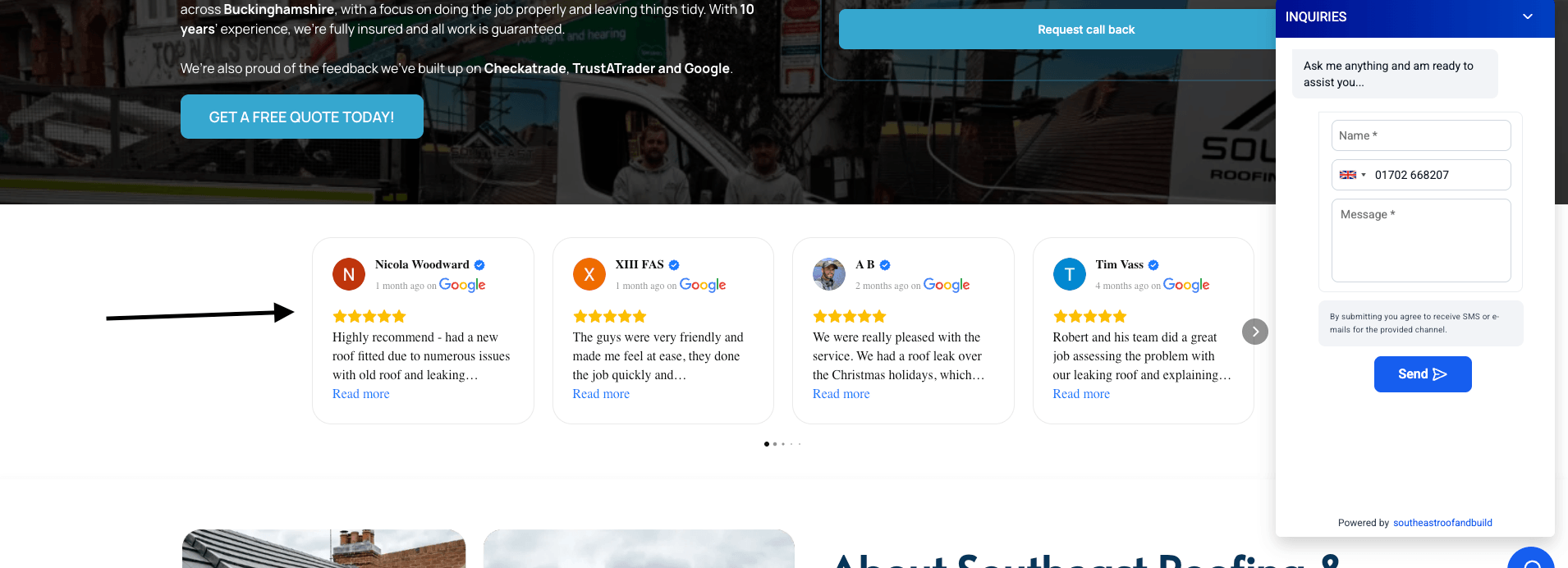
Reviews are the most powerful trust signal you have. But not screenshots — nobody believes a screenshot. Use a tool like Elfsight to pull your live Google, Trustpilot, and Checkatrade reviews directly onto the site. They update automatically, they’re clearly real, and they do more to convert a visitor than almost anything else on the page.
10. Display your accreditations prominently
If you’ve put in the work to get accredited — Gas Safe, NICEIC, NAPIT, Checkatrade, Trustpilot, Which? Trusted Trader, CHAS, or any trade association membership — show it. Every single one.
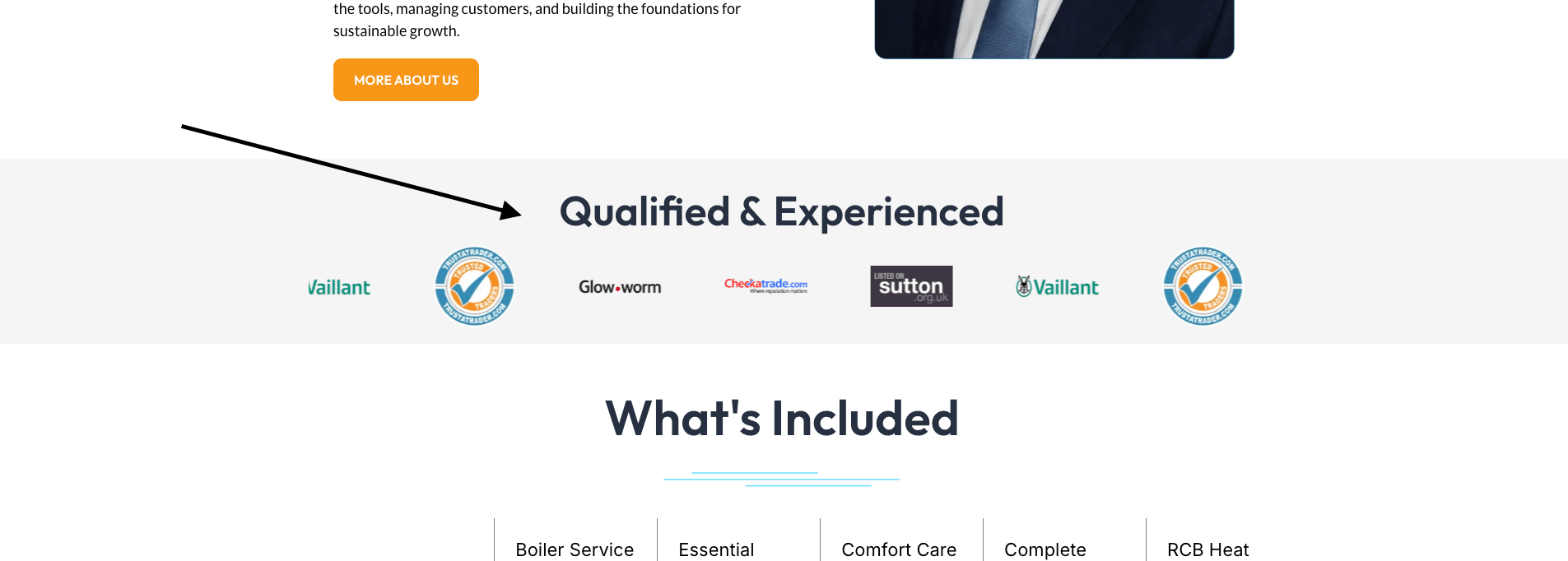
Most tradespeople have these logos buried at the bottom of their website where nobody ever sees them, or worse, not on the site at all. These accreditations tell a visitor in two seconds that you’re legitimate, verified, and accountable to a governing body.
Put them above the fold on your homepage, next to your reviews, and on your service pages. A homeowner choosing between two plumbers — one with a Gas Safe logo front and centre, one without — is calling the one with the badge every single time.
9. Show how many jobs you’ve completed
A simple line like “1,200+ jobs completed across Essex” tells a visitor immediately that you’re not new to this — you’ve done it hundreds of times before and people keep trusting you to do it.
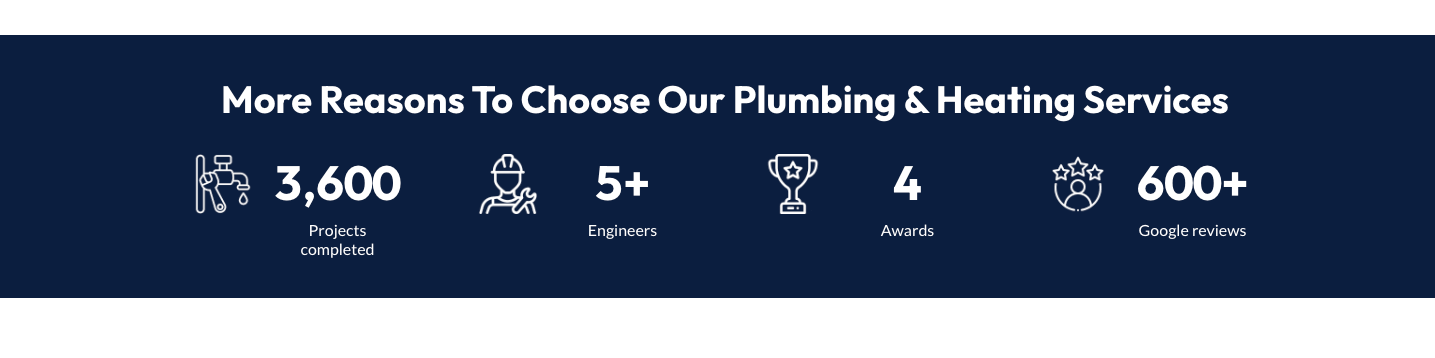
It’s social proof without needing a review. Put it front and centre on the homepage, ideally above the fold. If you’ve got the numbers, show them — jobs completed, years in business, areas covered, five-star reviews received. All of it builds confidence in someone who’s never heard of you before.
8. Add photos of your team
People hire people, not companies. A photo of your team — smiling, on site, in their work uniform, next to the vans — does something that no amount of well-written copy can replicate. It makes the business feel real and human.
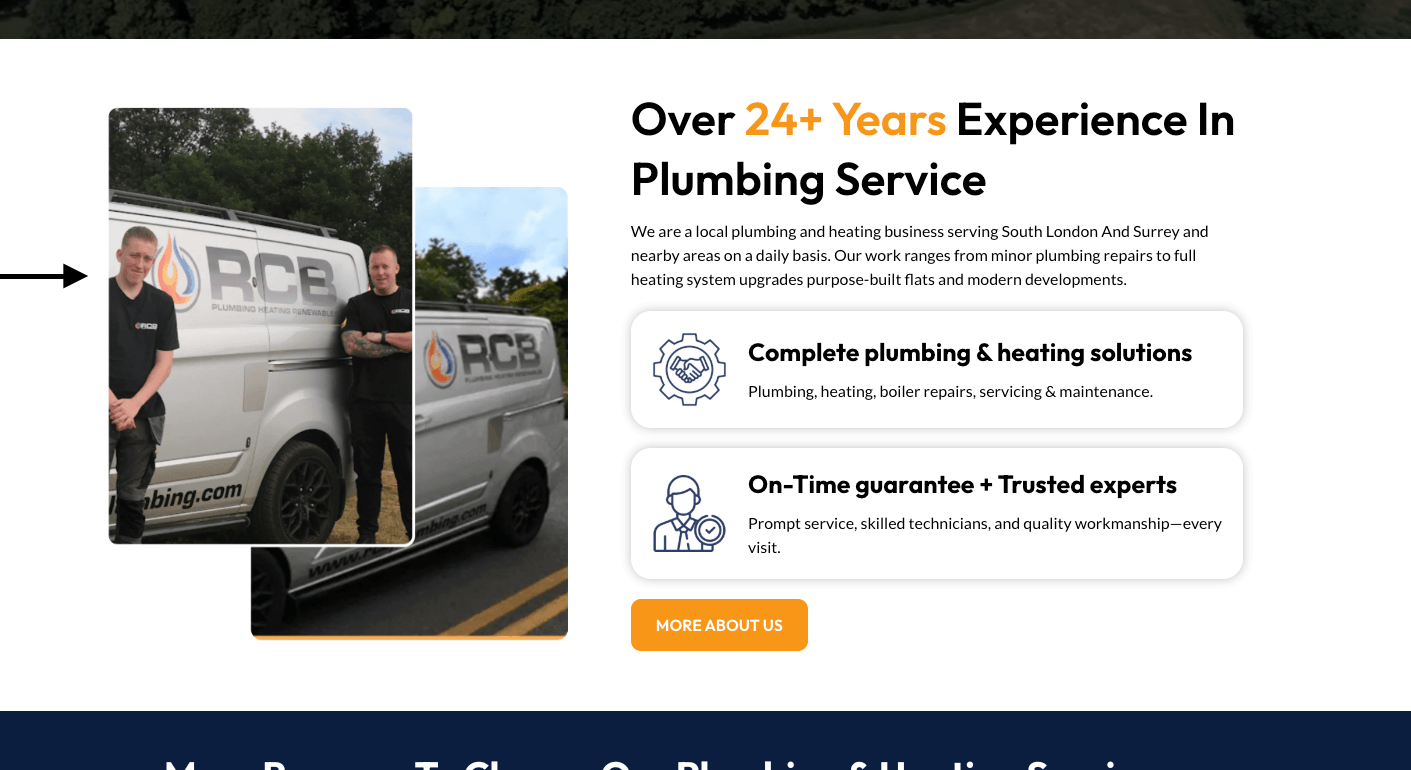
With AI tools now available, you can even create professional-looking team photos without a full photoshoot — tools like Nano Banana Pro can generate realistic imagery if you’re just starting out. But if you have real people, use real photos. A decent phone shot of the team on a job, a candid of someone mid-work, a before and after with your guy in the picture — all of it works. The more human your website feels, the more enquiries it generates.
7. Show your work — properly
Stock images are doing your business real damage. A generic photo of a man in a hard hat that every other trade website also uses tells the visitor absolutely nothing about the quality of your work.
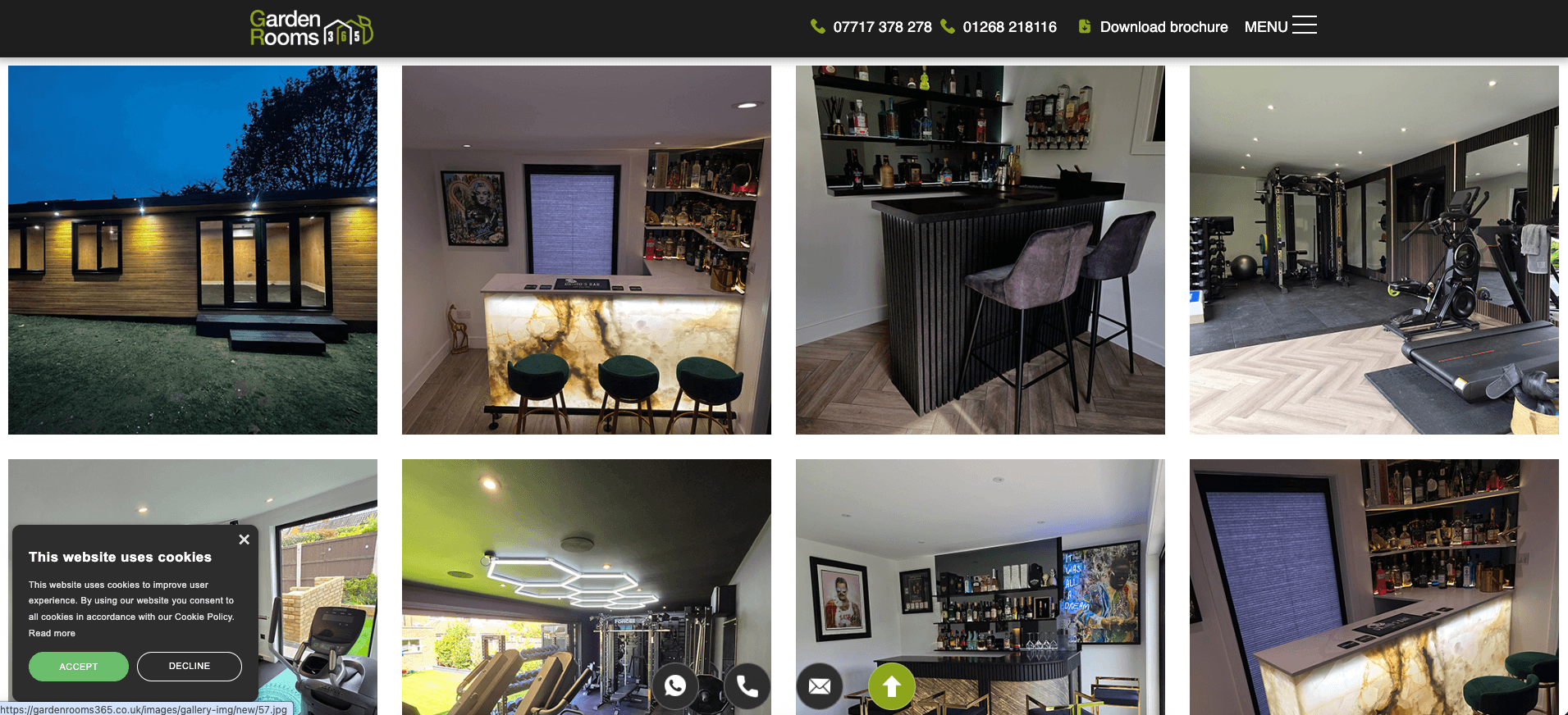
Real before and after photos are one of the highest-converting pieces of content you can put on a trade website. The messier and more dramatic the before, the better — it makes the after look even more impressive. Fill your website with real job photos across a variety of projects and locations. The more a visitor can see, the more confident they feel picking up the phone.
6. Structure your website to capture more local search traffic
A common mistake is having one homepage and a contact page and calling it a website. That structure will only ever rank for one or two search terms at best.
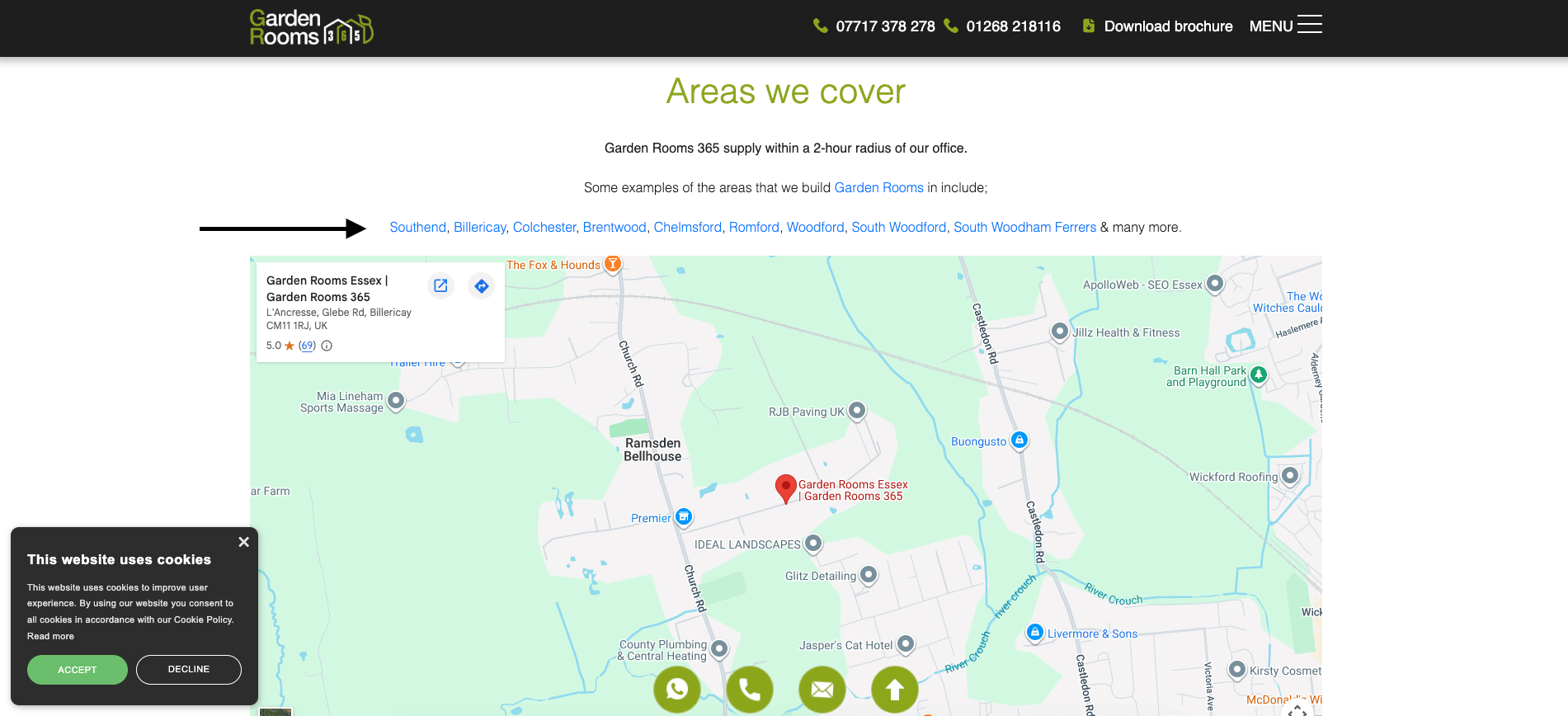
Build a page for every service you offer and a page for every town you cover. If you’re a plumber in Southend, your homepage targets “plumber Southend”. Then you need pages for “boiler repairs Southend”, “drainage Southend”, and so on. Then location pages — “plumber Basildon”, “plumber Brentwood”, “plumber Chelmsford”.
Add a coverage area page that lists every town you serve and links through to each location page. This passes authority between pages and tells Google clearly where you operate and what you do. Done properly, this structure can have you ranking across dozens of search terms — and each ranking page is another source of leads coming in every month.
5. Tell people what to do and make it urgent
Above the fold — the part of the page someone sees before they scroll — needs a clear, direct call to action. Not “welcome to our website”. Not a vague paragraph about your company history.
Something like “Same Day Repairs — Call Now for a Free Quote” or “One Hour Response — Get a Quote Today”. For emergency trades especially — roofers, plumbers, electricians — leading with your response time is one of the most effective things you can do. It immediately answers the question the visitor is already asking, which is “how quickly can someone get here?”
Make the call to action impossible to miss. Big button, strong colour, direct language.
4. Add a chatbot that works while you sleep
A well-set-up chatbot can engage a visitor the moment they land on your page, ask them what they need, qualify the enquiry, and book them straight into your calendar — while you’re on a job, driving between sites, or asleep. That’s leads being captured around the clock without you lifting a finger.
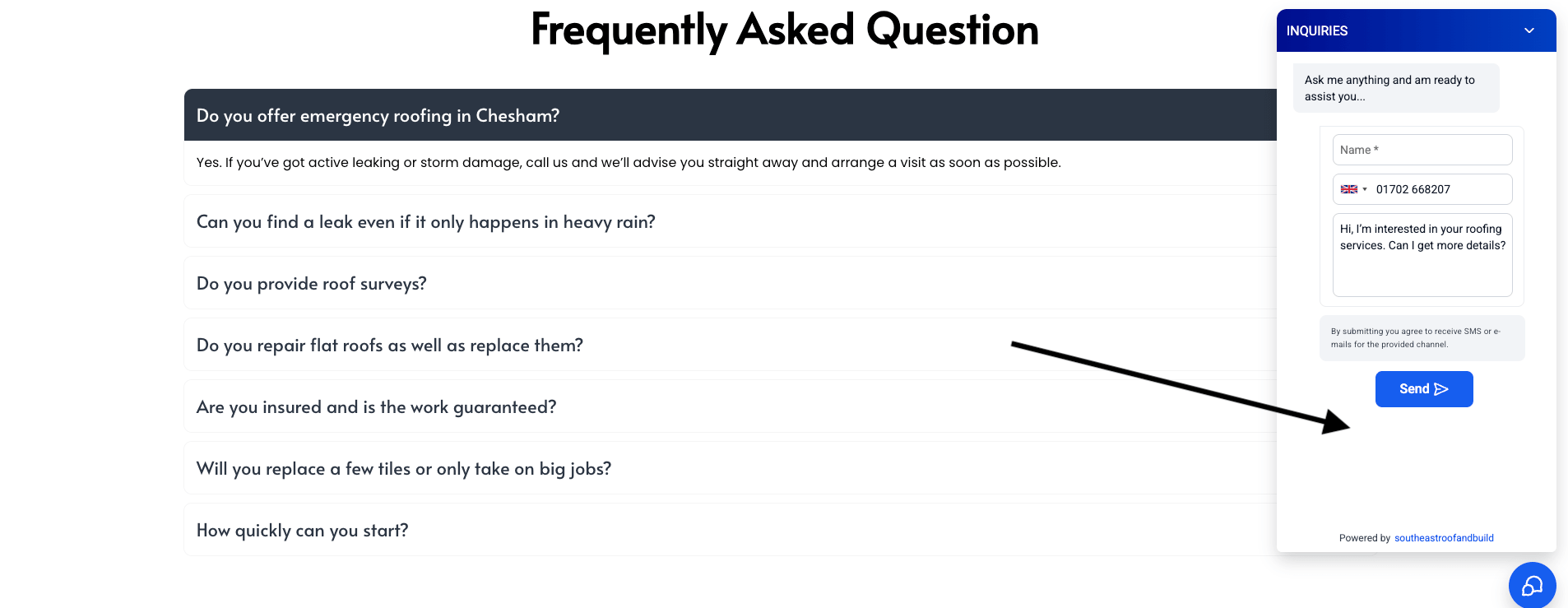
A lot of people search for tradespeople outside of working hours. If your website can have a conversation with them at 10pm and get their details logged, you wake up to a warm lead rather than a missed opportunity.
3. Connect your website to a CRM
Every enquiry that comes in through your contact form, your chatbot, or your click-to-call button should be landing in one system — somewhere you can see it, follow it up, and track it all the way through to a won job.
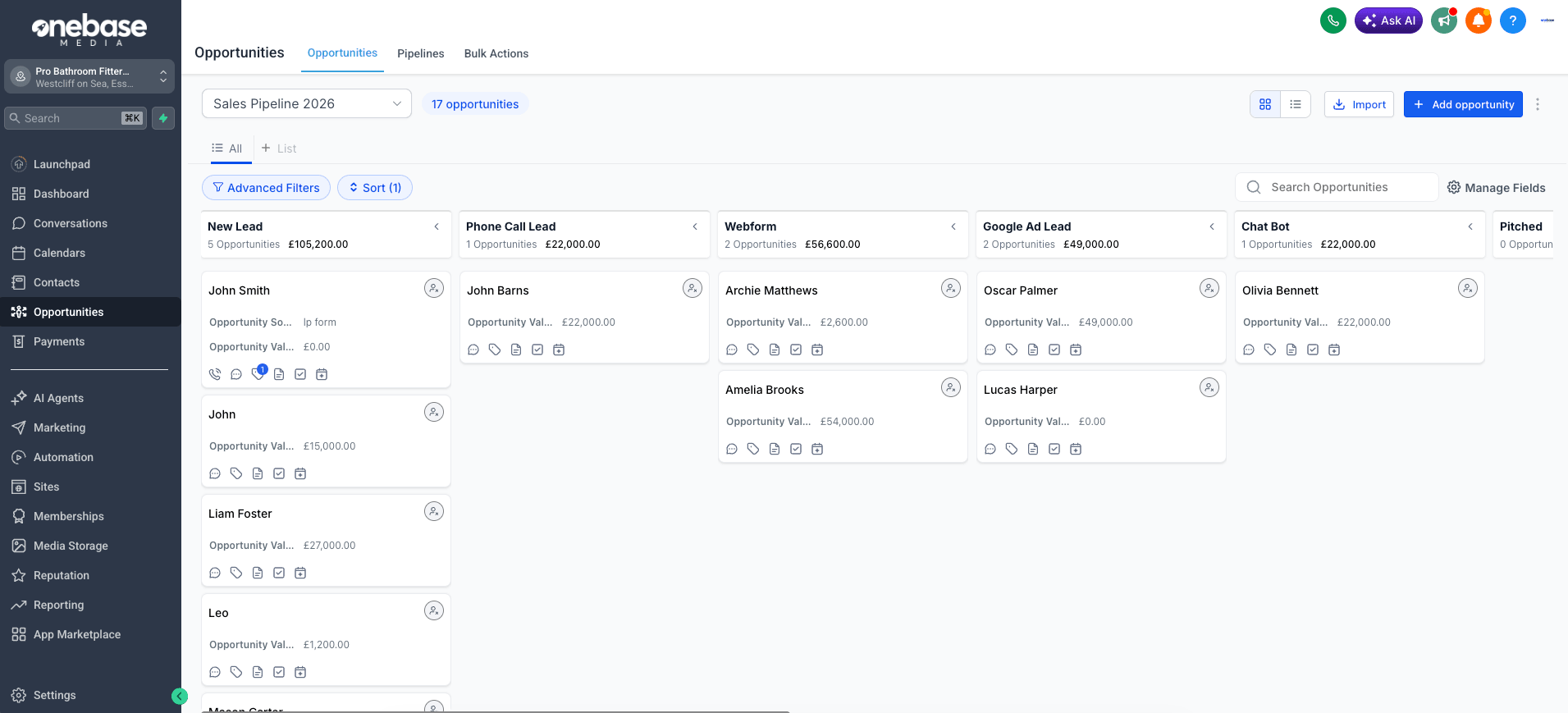
If leads are dropping into an email inbox that doesn’t always get checked, or going to a phone that doesn’t always get answered, you are losing money every single day. Not occasionally. Every day.
A CRM connected to your website closes that gap completely. Every lead is captured, logged, and visible. Nothing falls through the cracks. You can see at a glance what’s come in, what needs a follow-up, what’s been quoted, and what’s been won. It turns your website from a lead generator into a full end-to-end sales system.
We’ve built a CRM specifically for trade businesses that connects directly to your website and can be managed from your phone whether you’re on site or in the van. Every lead, every job, every follow-up — all in one place.
2. Don’t be vague about price
Showing price guide ranges on your website, particularly for higher-ticket services like extensions, loft conversions, or garden rooms, increases the quality of your enquiries significantly.
It filters out the people who were never going to spend the money and pre-qualifies the ones who are serious. A visitor who sees “garden rooms from £15,000” and still fills in the contact form is a much warmer lead than one who has no idea what it costs and is just shopping around.
You don’t need to give exact quotes. A range is enough. “Boiler installations from £1,800” or “full bathroom renovations typically between £4,000 and £8,000 depending on specification.” It sets expectations, builds trust, and saves everyone’s time.
1. Show your process step by step
A simple step-by-step process section removes that hesitation completely. Something like: Call or enquire → Free quote within 24 hours → Job booked at a time that suits you → Work completed to a high standard → Aftercare and guarantee.
Four or five steps, clearly laid out, tells the visitor exactly what to expect. It makes the whole thing feel easy and low risk — and low risk is what gets people to pick up the phone.
Your website should be your best salesperson. It’s working 24 hours a day, seven days a week, talking to potential customers while you’re on the tools. Get it right and it generates leads on autopilot. Get it wrong and it’s just an expensive business card that nobody looks at.
Get in touch
If you want help building a trade website that actually converts, get in touch today. We work with trade businesses every day and we know exactly what works.
Contact us today and let’s talk about growing your business.