


If you only had time to fix one thing for your garden room business this month, it should be your Google Business Profile. It’s free, it’s often the very first thing a potential customer sees, and it directly decides whether you show up in the local “map pack” — the three businesses Google displays at the top of the page when someone searches “garden room installer near me.”
Take a look at Garden Rooms 365 and you’ll see exactly what a properly optimised profile looks like in practice — they consistently hold a top position in the Google Maps results for their core search terms. That’s not luck. It’s the result of getting every part of the profile right, then maintaining it properly, week after week. This guide breaks down exactly how to do the same for your own business.
Why Google Business Profile Matters So Much for Garden Rooms
Garden rooms are a high-consideration, high-trust purchase. Before someone picks up the phone to spend £25,000–£40,000 on a garden building, they want reassurance — real photos, real reviews, a business that looks active and legitimate. Your Google Business Profile is often where that trust is built or lost, before a visitor has even clicked through to your website.
It also directly affects your visibility. The map pack sits above the standard organic results on most local searches, meaning a strong profile can outperform a beautifully built website if the profile itself is neglected.
Step 1: Get the Business Setup Fundamentals Right
Business Name
Your listed name should match your real trading name exactly. It’s tempting to add keywords into the name field — “Garden Rooms Essex | Best Garden Room Installer” — but this is against Google’s guidelines, and profiles that do it are increasingly getting caught and suspended. It’s not worth the risk for a short-term ranking boost.
Primary Category
Use “Garden Building Supplier” as your main category, and resist the urge to stack on extra categories “just in case.”
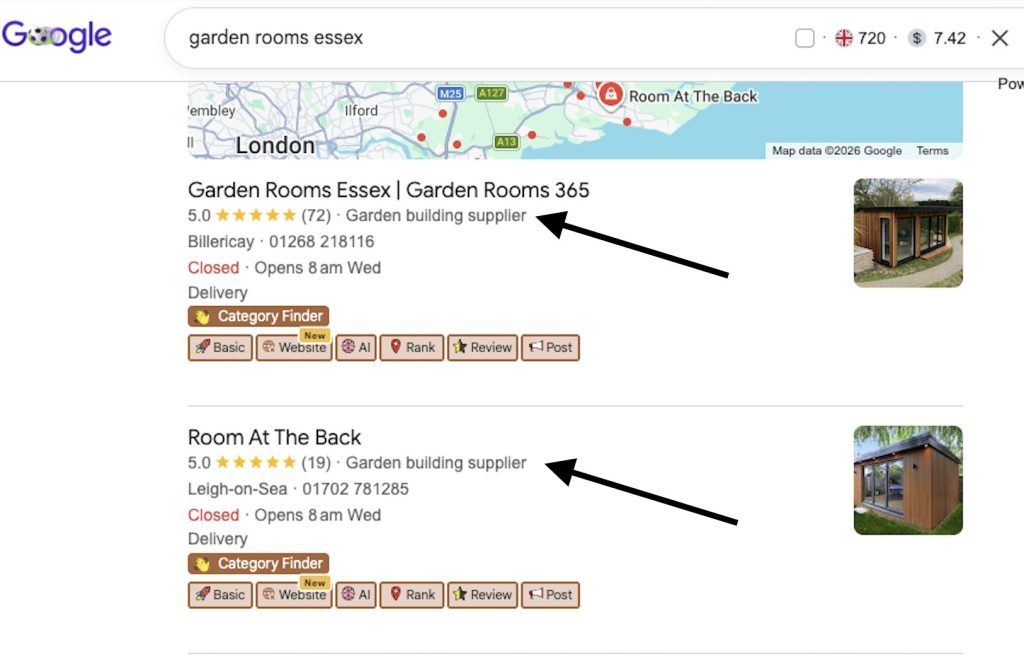
A profile with one clear, accurate primary category tends to perform better in relevant searches than one trying to cover ten different services. If you genuinely offer other clearly separate services — say, general carpentry — a secondary category can make sense, but keep it minimal and honest.
Must Read: How to Optimise Categories
Service Areas
List the specific towns and counties you actually cover. A common mistake is setting a blanket 50-mile radius from your base, which dilutes relevance. If you cover Essex and parts of East London, list the most populated towns specifically rather than relying on a generic radius setting, go to ChatGPT and type in give me the most densely populated towns in Essex for example, and then list all of them towns in the service areas.
Business Description
This is prime space to naturally include your core keywords — “garden rooms,” “garden offices,” your main location — without it reading like a keyword list. Something like:
“We design and build bespoke garden rooms, garden offices, and garden gyms across Essex, including Southend, Billericay, and Brentwood. Fully insulated, built to last, and tailored to your space.”
That’s specific, readable, and naturally keyword-rich.
Opening Hours, Phone Number & Website
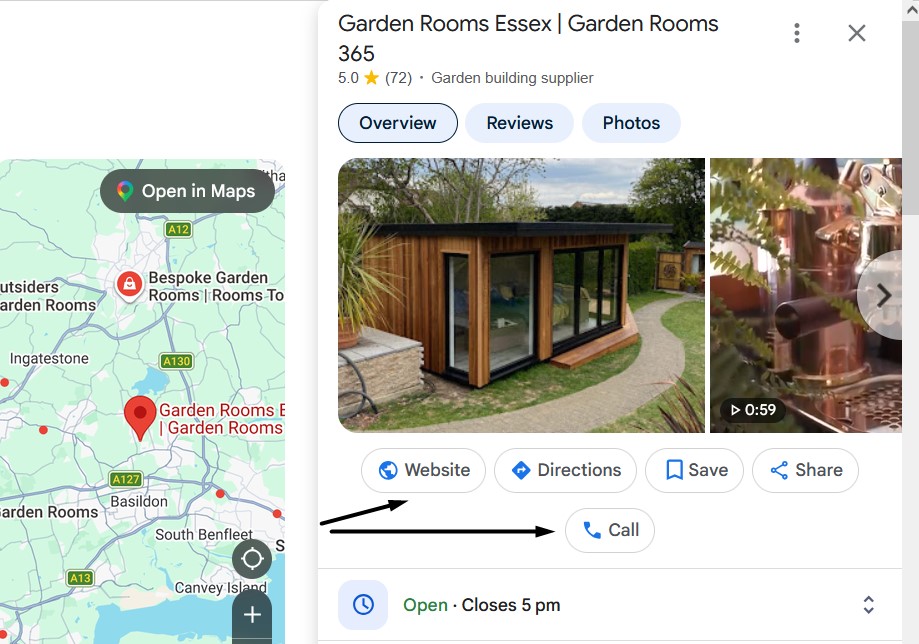
Keep hours accurate, including bank holidays — an “open” listing on a day you’re actually closed is a small but real trust dent. Your phone number and website URL need to match exactly what’s on your actual site. Any mismatch (a different phone number on your site vs. your GBP) creates inconsistency that can quietly undermine your local SEO. Make sure everything matches the other citations you have built.
Step 2: Photos — Where Most Garden Room Profiles Fall Short
This is the section that makes the biggest visible difference to a potential customer, and it’s where most installers underinvest.
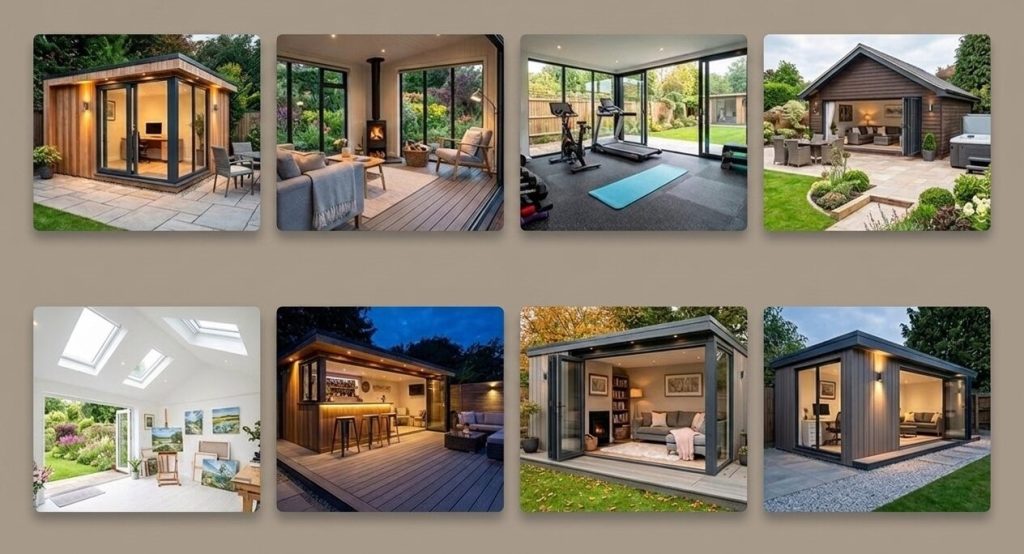
Prioritise finished results. Someone browsing garden room installers wants to see what the end product actually looks like — inside and out — before anything else. Lead with your best, most polished finished project photos.
Pair before-and-afters properly. If you’re showing the transformation, group the before shot directly with the after shot. A gallery of half-built sheds with no payoff photo does nothing for you — and can actively put people off if it’s all they see.
Go heavy on volume per job. For every completed project, aim to capture 50+ photos from different angles: full exterior shots from multiple sides, interior wide shots, close-ups of finishes (flooring, cladding, windows), and shots that show the garden room in context within the wider garden. This gives you a real content bank to keep posting from for weeks after the job is finished.
Include the team and the process. A few photos of the actual installers on site, mid-build, humanises the business. People are hiring people, not just a product.
Add video where you can. A 30-60 second walkthrough or a short time-lapse of a build consistently outperforms static photos for engagement, and very few garden room competitors are doing this well yet — it’s an easy way to stand out.
Keep uploading, don’t just set and forget. A profile with 40 photos uploaded two years ago and nothing since looks stagnant to both Google and to customers. Fresh uploads on an ongoing basis signal an active, real, currently-trading business.
Step 3: Posting — Treat It Like a Mini Social Channel
Google Business Profile posts are one of the most underused features on most garden room profiles, and one of the easiest wins available.
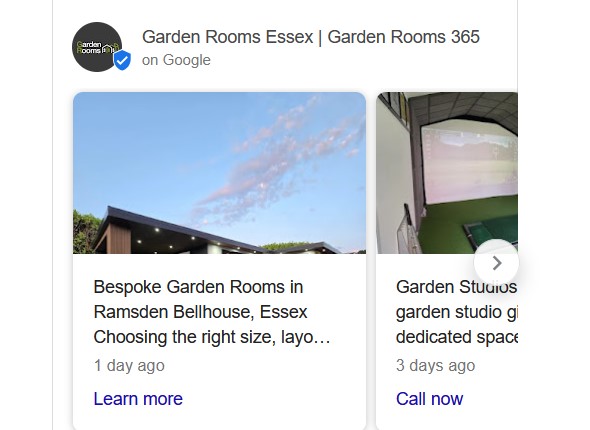
Aim for 2-3 posts a week. Consistency beats intensity — a steady weekly rhythm outperforms an occasional burst of five posts followed by silence.
Mix up the content type:
- Recently completed jobs (with photos)
- Current offers or seasonal promotions
- Customer testimonials
- Short, useful tips (“Do I need planning permission for a garden room?”)
- Seasonal prompts (“Book now to have your garden office ready before autumn”)
Always include a call to action. Every post should have a clear next step attached — “Get a quote,” “Call now,” “Learn more” — rather than just being an update with nothing for the reader to do next.
Step 4: Reviews — Build a System, Don’t Leave It to Chance
Timing matters. Ask for a review a couple of weeks after installation, once the customer has had time to actually use and enjoy the space, rather than immediately on completion day when they may not have settled in yet.
Consistency over clustering. A steady flow of recent reviews performs better than a big batch from two years ago with nothing since. Build the ask into your standard post-installation process so it happens for every job, not just the ones you remember to follow up on.
Respond to every single review. Positive and negative. A thoughtful, professional response to a negative review often does more to build trust with someone reading it later than the review itself does damage — it shows how you handle problems. Also mention the service you done in the review, for example “We are thrilled to hear you are happy with your gym garden rooms” this will help the listing show for more keywords.
Use natural, specific language in your responses. Something like “Thanks so much for the kind words about your new garden office in Billericay — really pleased you’re happy with it!” reinforces both service and location relevance, rather than a generic “Thanks for your review!”
Don’t ignore other platforms. Trustpilot and Checkatrade reviews are valuable too and worth linking to from your website, but for Google Business Profile ranking specifically, Google reviews carry the most direct weight.
Step 5: The Q&A Section — Don’t Leave It Blank
Most garden room profiles leave this section completely empty, which is a wasted opportunity. Seed it yourself with the genuine questions customers ask most:
- “Do I need planning permission for a garden room?”
- “How long does installation take?”
- “What’s included in the price?”
- “Do you need a base already in place?”
Answer them yourself, clearly and helpfully. Then check back regularly for real questions from users and respond quickly — an unanswered public question sitting untouched for weeks reflects poorly on how responsive you are.
Step 6: Make It Easy to Actually Book You
Add a direct booking link. A tool like Calendly connected to your profile lets someone book a consultation slot immediately, rather than waiting on a callback.
Turn on messaging, but only if you’ll use it. GBP messaging can capture enquiries from people who’d rather not call, but an enabled message function that gets ignored for days does more harm than not having it at all.
Link your quote request button to a proper landing page, not just your homepage — send people straight to the page built to convert that specific enquiry.
Step 7: Use the Products & Services Sections Properly
List your services individually — garden offices, garden gyms, garden bars, granny annexes — each with a short, clear description, rather than one vague “garden buildings” entry. Where possible, this should mirror the dedicated pages on your actual website, reinforcing the same structure in both places.
If you offer specific ranges or models, the products section is a good place to list them, including “from” pricing if you’re comfortable sharing it — transparency here tends to filter in more serious enquiries.
Step 8: Keep Monitoring and Maintaining
Check your Insights regularly. Google Business Profile shows you calls, direction requests, and website clicks generated directly from your listing — this tells you what’s actually working, not just what you assume is working.
Search your own business name occasionally to check no duplicate or outdated profile exists competing with your main one — this happens more often than you’d think, especially if a business has rebranded or moved location.
Stay within the guidelines. Keyword-stuffed business names, incorrect categories, or fake reviews put your whole profile at risk of suspension. It’s a slow, steady build — not something to gamble on shortcuts.
What This Looks Like Done Properly
Garden Rooms 365 is a good real-world reference point here — a profile that consistently ranks in the top map pack position isn’t the result of one clever trick, but of every one of the elements above being handled properly and kept active month after month: complete setup, a strong and growing photo library, regular posting, a genuine flow of recent reviews, and a seeded Q&A section that answers real customer questions before they even need to ask.
Bringing It All Together
Your Google Business Profile isn’t a “set it up once and forget it” job — it’s an ongoing part of your marketing that needs the same regular attention as your website or your ads. Done properly, it becomes one of the highest-converting, lowest-cost assets in your entire marketing setup, because it’s showing up right at the exact moment someone in your area is ready to buy.
If you’d rather have this built, optimised, and kept active for you than try to fit it in around the day job, get in touch and we’ll talk through what that would look like for your business.